See It in Action


About HudsonWay
HudsonWay is the offline-first guide to New York's Hudson Valley. Plan multi-stop day trips with Trips, track places you've been, and explore farms, trails, food, safety info, and everyday essentials across 11 counties — no signal required.
HudsonWay is the essential guide to New York's Hudson Valley. Whether you're a local looking for fresh produce, a weekend visitor mapping out a hike, or a road tripper searching for the perfect craft brewery, HudsonWay puts everything you need in one fast map and search experience — and it keeps working when the signal drops.
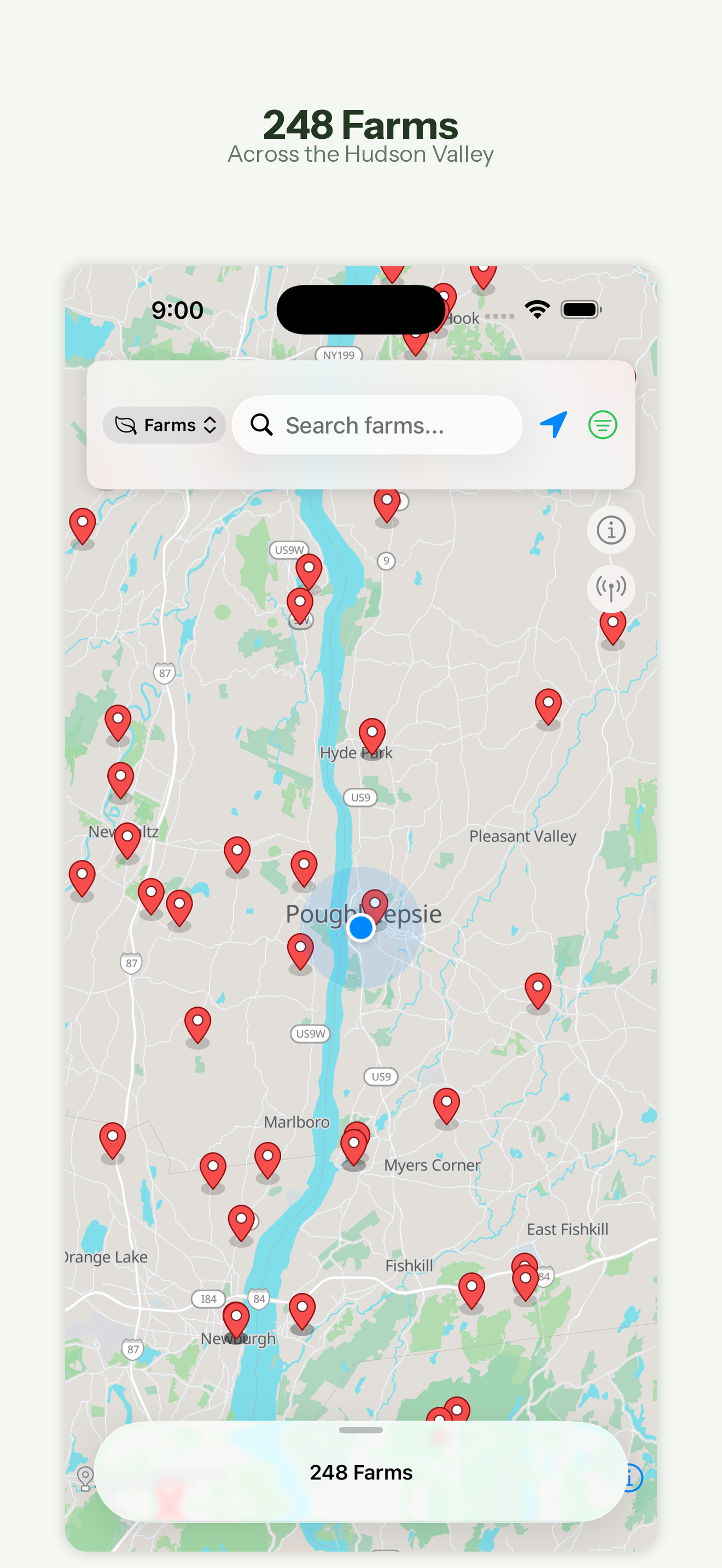
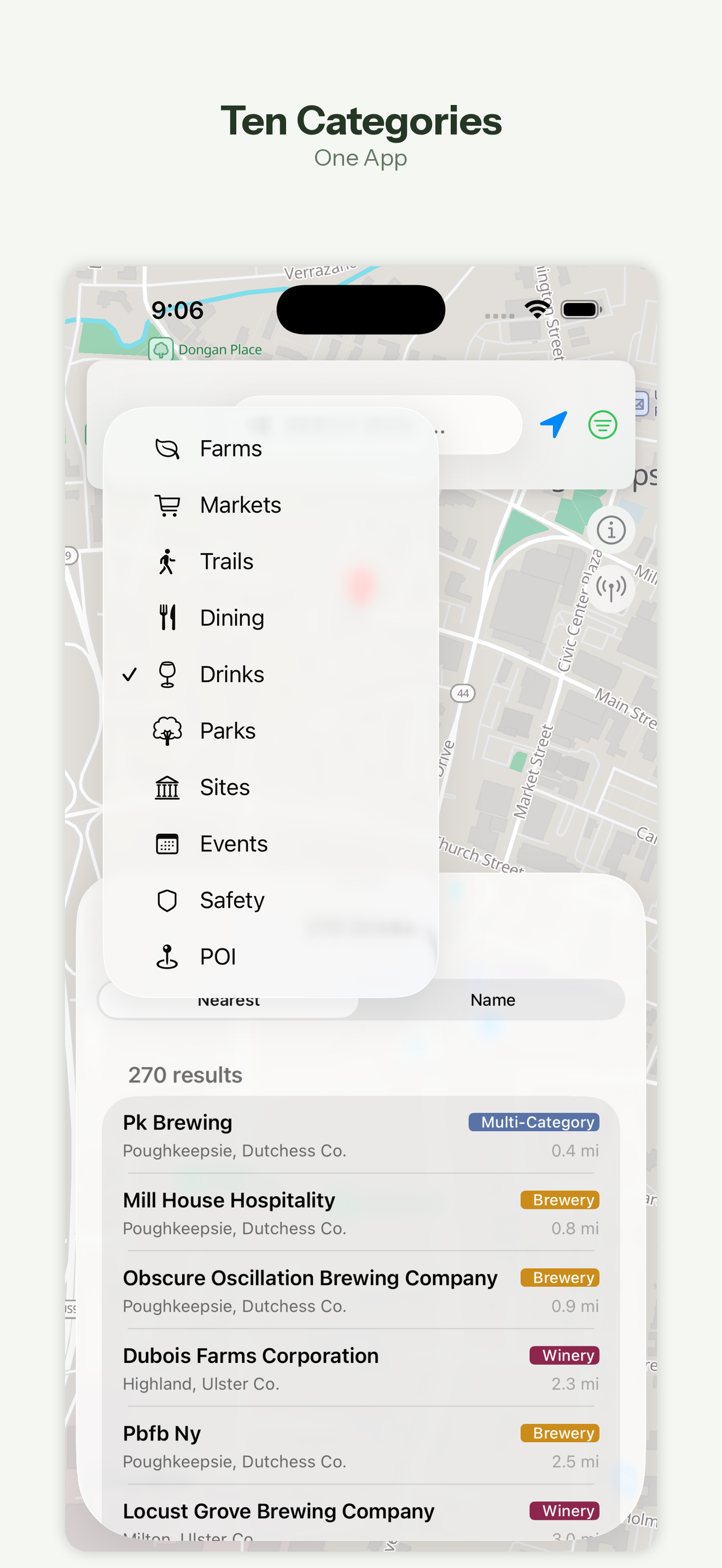
Covering 11 counties from Rockland to Albany, HudsonWay brings together thousands of points of interest across nine categories: farms and farm stands, farmers markets, trails and hiking, parks and recreation, restaurants and dining, craft beverages, historic sites and attractions, events and seasonal activities, and emergency and safety services — plus everyday essentials like restrooms, parking, groceries, and EV charging.
New in version 3, Trips lets you plan your whole day. Add stops from search, nearby results, or recently viewed places, put them in order, and HudsonWay maps the drive between each leg. Mark places as been there or add them to a bucket list, give every trip its own emoji, and pick up saved trips as cards whenever you head back out.
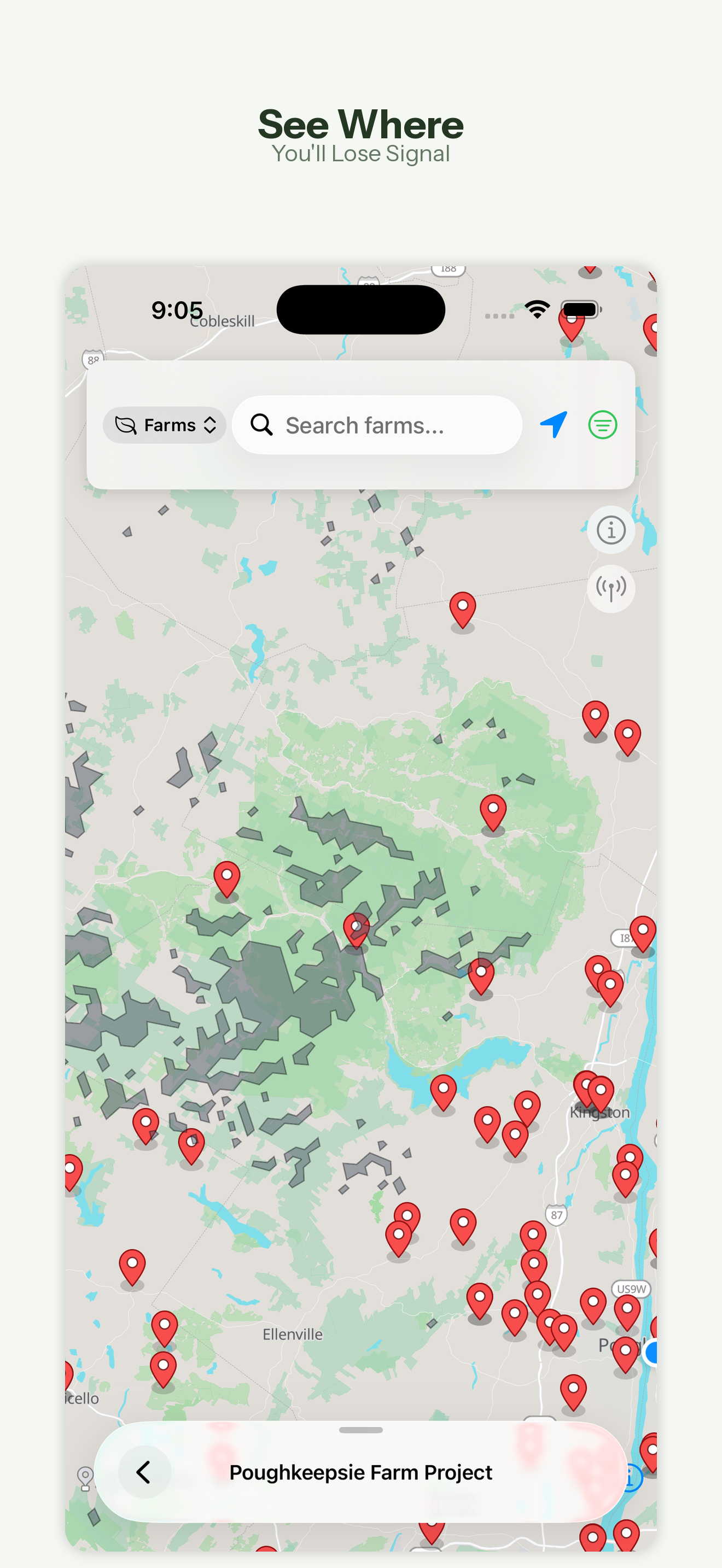
HudsonWay is designed around one idea: you shouldn't need cell service to find what's around you. The app ships with a complete set of vector maps and data stored directly on your device. No loading screens, no buffering, no dead zones. Search is instant thanks to full-text indexing, spatial queries surface what's nearby, and a cell coverage overlay helps you spot low-service areas before you head deeper into the region.
Core Features
Trips & Itineraries
Build a day in the Hudson Valley by adding stops from search, nearby results, or recently viewed places. Put them in order and HudsonWay maps the drive between every leg. Personalize each trip with an emoji and save it as a card to pick up right where you left off.
Been There & Bucket List
Mark places as been there from any trip or detail page to build a running history of everywhere you've been, or add spots to a bucket list for the trips you haven't taken yet.
Nearby & Discover, Reimagined
A redesigned Discover sheet puts Open Now, This Weekend, restrooms, and favorites near you one tap away, with a dedicated filter sheet and full-screen list views. One-tap shortcuts like Family Day, Budget Day, and Accessibility First reshape the map around common trip goals, and a manual location picker lets you scout a spot outside your current area.
Seasonal Discovery
Timely ideas tied to your current map area: what's in season now, fairs this month, weekend outdoor ideas, and lower-cell-risk hikes so you can plan around coverage before you go.
Farms, Markets, Trails & Parks
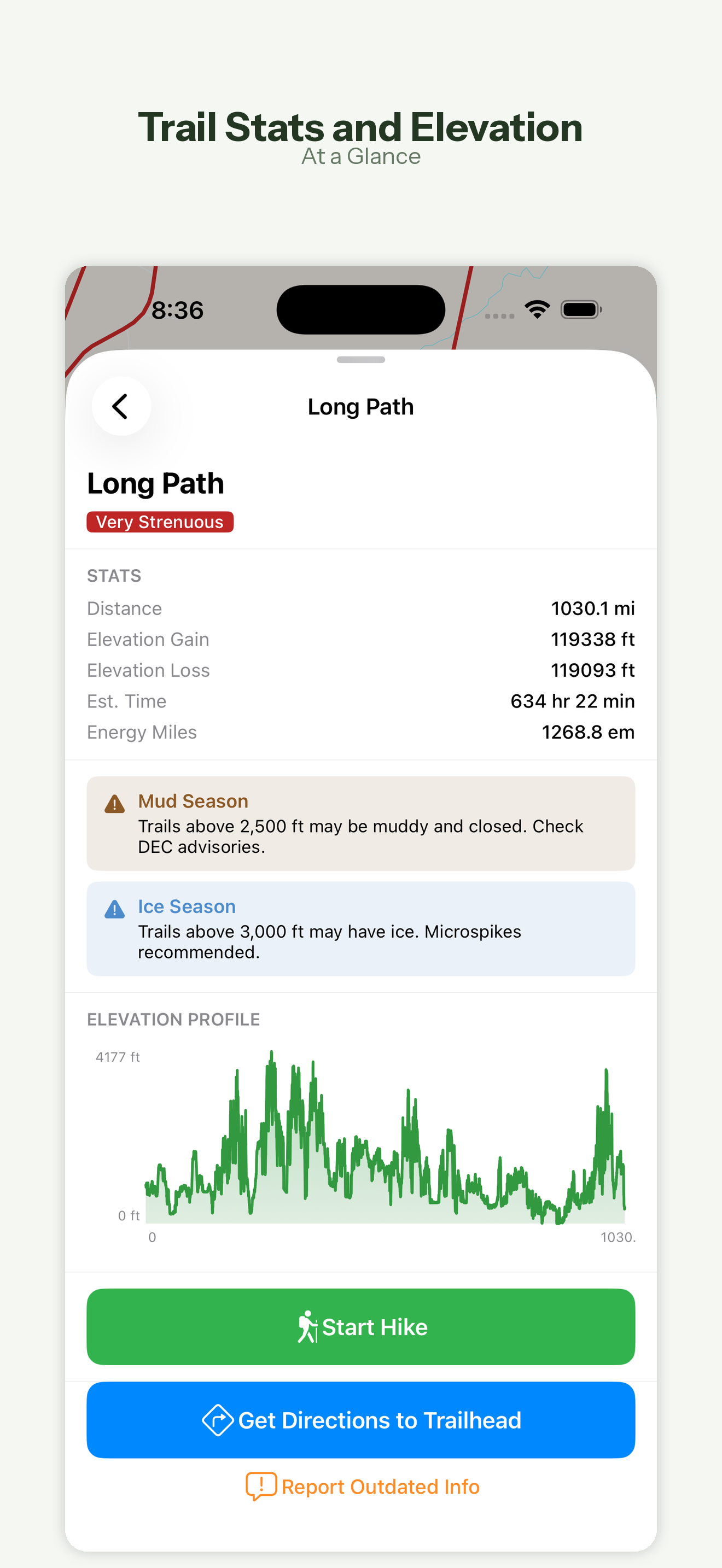
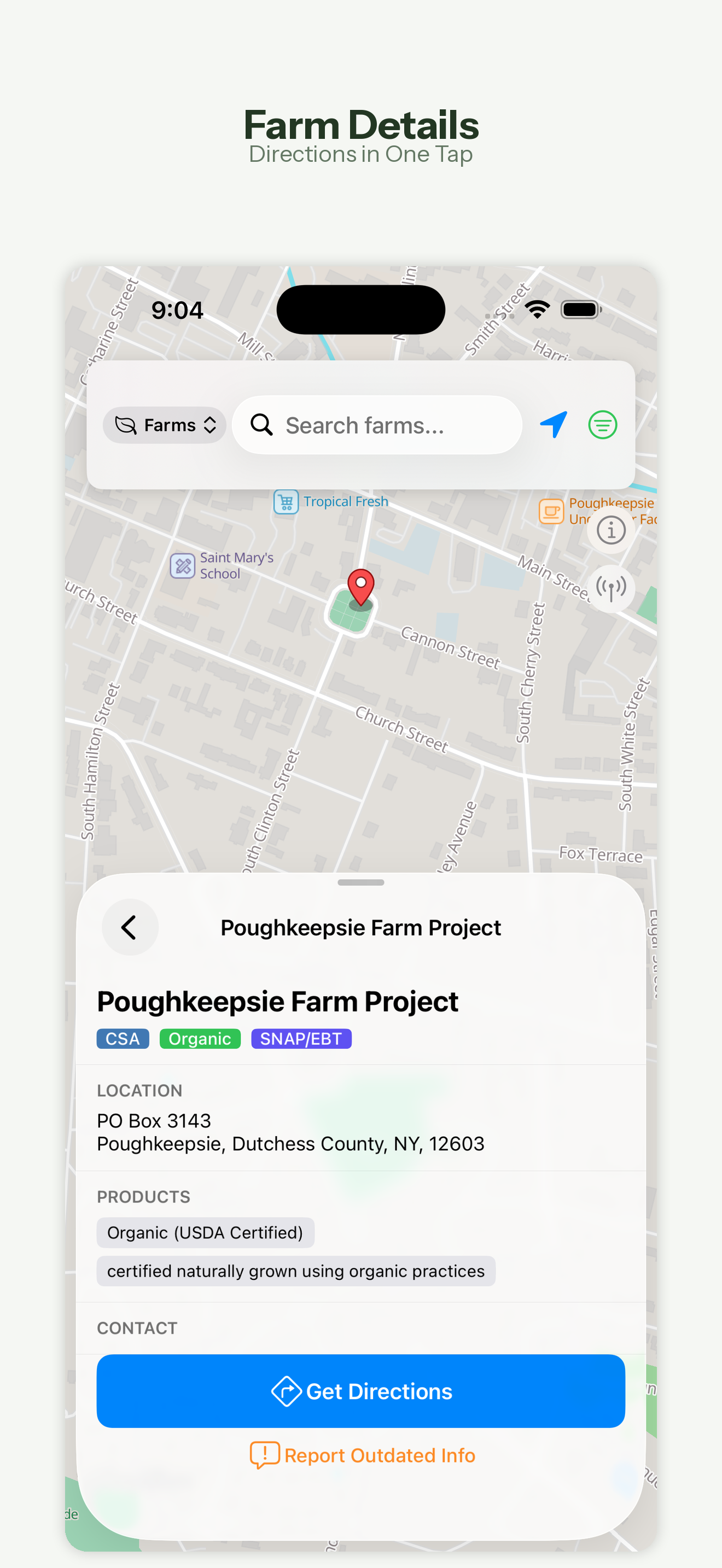
Find CSAs, farm stands, u-pick orchards, and food hubs from USDA and New York State directories, browse seasonal and year-round farmers markets, and explore trails with distance, difficulty, elevation profiles, and a live GPS hike view — plus state and county parks across all 11 counties.
Food, Drink & Historic Sites
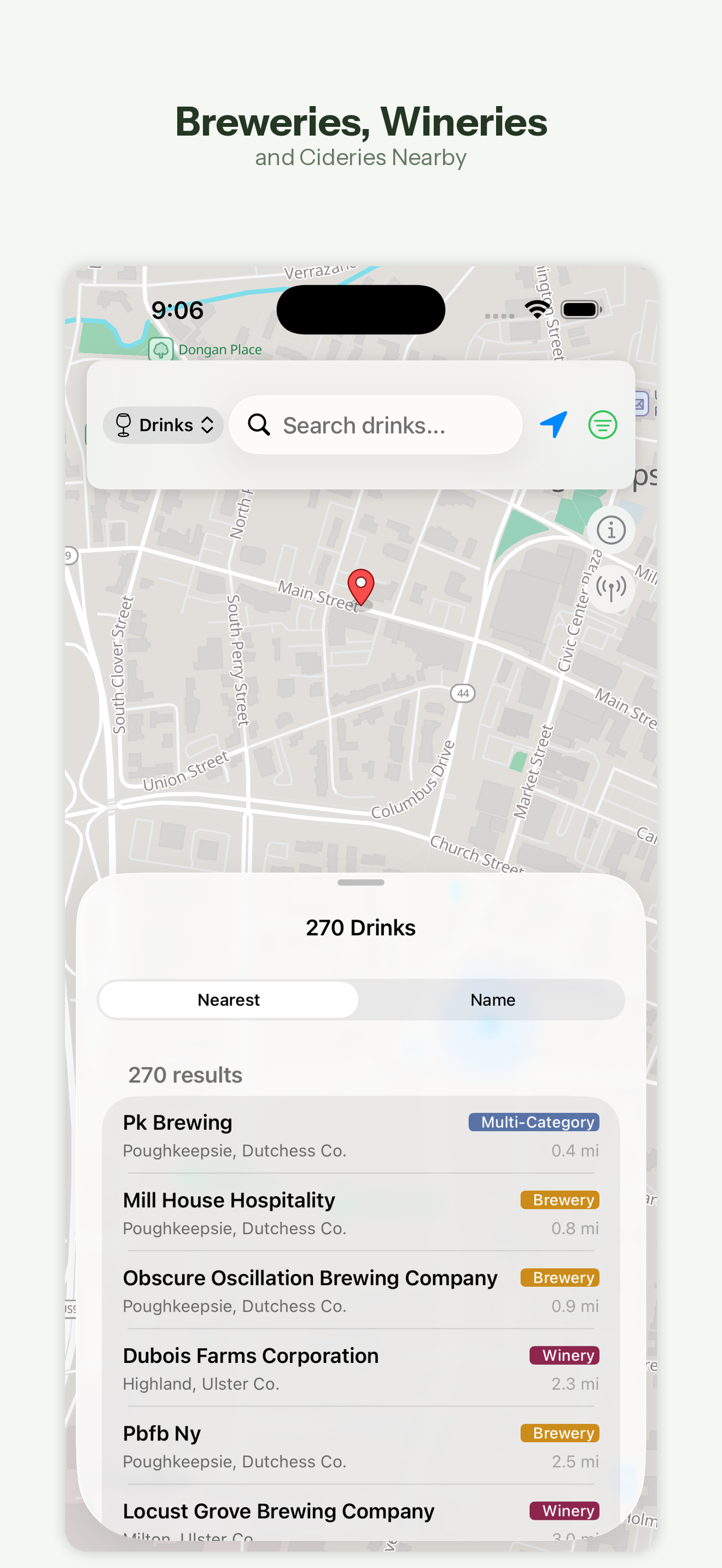
Search restaurants by cuisine, price, and county, find breweries, wineries, cideries, and distilleries with tasting-room details, and visit museums, historic landmarks, and cultural attractions alongside festivals, fairs, and community events.
Safety Tools & Cell Coverage
Safety is one tap from the home screen, with an expanded library of 20 safety articles, emergency service locations, important contacts, and quick-reference cards — all offline. An FCC-based overlay shows areas with limited or no cellular coverage so you can plan ahead.
Favorites, Lists & Essentials
Save favorite places, organize them into custom lists, and check which saved spots are near you right now. Filter to restrooms, EV charging, parking, and groceries so the practical stuff is never far from the plan.
Plan the Hudson Valley — Offline
Build multi-stop day trips, track where you've been, and explore farms, trails, food, and safety info across 11 Hudson Valley counties — no signal required.
Download on App StoreAll 14 Modules
Trips
Build a day by adding stops, ordering them into an itinerary with drive times, and saving trips as cards to return to.
Been There & Bucket List
Mark places visited to track your Hudson Valley history, or save spots to a bucket list for later.
Nearby & Discover
Open Now, This Weekend, restrooms, and favorites near you in a redesigned peek sheet with filters and full-screen lists.
Seasonal Discovery
What's in season now, fairs this month, weekend outdoor ideas, and lower-cell-risk hikes tuned to your map area.
Farms & Farmers Markets
CSAs, farm stands, u-pick orchards, and food hubs plus seasonal and year-round markets from USDA and NYS directories.
Trails & Hiking
Trails with distance, difficulty ratings, elevation profiles, and a live GPS hike view for offline navigation.
Parks & Recreation
State parks, county parks, preserves, and recreation areas with facility details.
Restaurants & Craft Beverages
Restaurants by cuisine, price, and county, plus breweries, wineries, cideries, and distilleries.
Historic Sites & Events
Museums, landmarks, and cultural attractions alongside festivals, fairs, and community events.
Safety Tools
20 offline safety articles, emergency locations, contacts, and quick-reference cards, one tap from home.
Cell Coverage Map
FCC-based overlay showing areas with limited or no cellular coverage for trip planning.
Everyday Essentials
Restrooms, parking, groceries, and EV charging surfaced alongside the region's main attractions.
Offline Vector Maps
Fast, detailed vector tile maps rendered locally via MapLibre — no internet required.
Full-Text Search
Instant search across all categories powered by FTS5 indexing with R*Tree spatial queries.
Built for the Outdoors
HudsonWay ships with a complete set of vector maps and all data stored directly on your device. Open the app and start exploring — no loading screens, no buffering, no dead zones. The map is powered by MapLibre with locally rendered vector tiles, so panning and zooming is fast even in areas with no cell service.
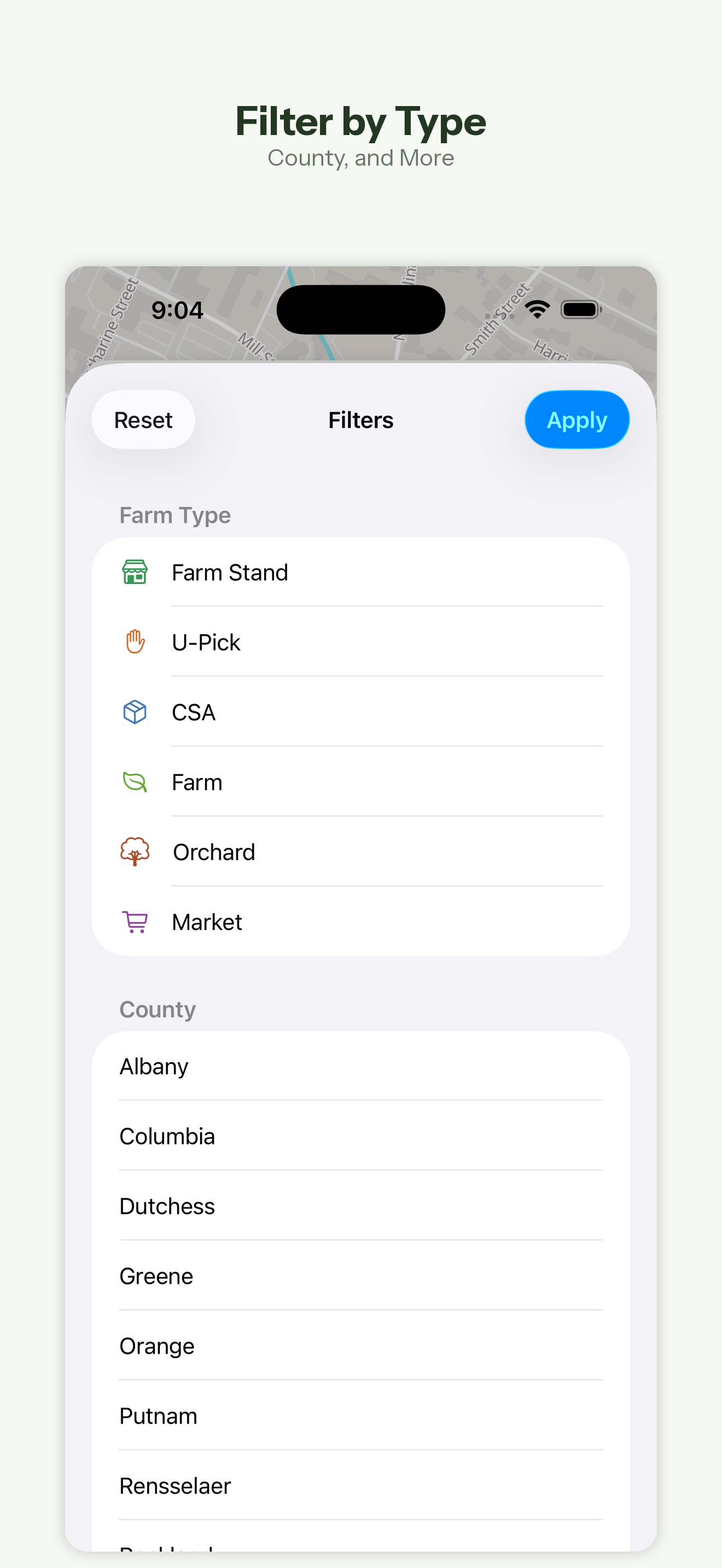
Search is instant thanks to FTS5 full-text search indexing. Spatial queries powered by R*Tree indexes let you find nearby points of interest based on your current location. Filter results by county, category, and other attributes to narrow down exactly what you're looking for.
Always Current, Still Offline
Version 3 lets HudsonWay pull data and map updates over the air, so improvements to places, hours, and coverage can reach you without waiting on an App Store update. Downloaded updates are verified and applied automatically the next time you open the app.
Everything still runs on-device once it's downloaded. HudsonWay aggregates data from trusted public sources including the USDA, New York State, the National Park Service, OpenStreetMap, and the FCC, then cleans, deduplicates, and geocodes it into a compact local database.
Open Data, Local Focus
No accounts. No ads. No tracking. Just a fast, private guide to one of the most beautiful regions in New York, built for locals, day trips, and weekends away — and designed to stay useful even when coverage is not.
Counties covered: Ulster, Dutchess, Orange, Columbia, Greene, Sullivan, Putnam, Rockland, Westchester, Rensselaer, and Albany.
What's New in v3
Trips: Plan Your Day
Build a day by adding stops from search, nearby results, or recently viewed places, put them in order with drive times between each leg, and save the result. Mark places as been there, add them to a bucket list, and give every trip its own emoji. Saved trips appear as cards at the top of the Trips tab.
Reworked Discover & Nearby
Filters now live in a dedicated nav-bar sheet, result lists expand to full screen, and the Discover sheet collapses to a peek instead of closing. A new manual location picker lets you check a spot outside your current area, and the location button moved to a cleaner bottom-left position.
Safety, One Tap Away
Safety tools are now one tap from the home screen, and the safety article library has nearly doubled — growing from 11 to 20 entries, all available offline.
Over-the-Air Data & Map Updates
HudsonWay can now pull data and map updates over the air, so improvements to places, hours, and coverage reach you without waiting on an app update.
Refinements Throughout
A redesigned Information screen (formerly Licenses), wider Save and bucket-list buttons on place details, icon-based buttons across the trip and filter flows, and fixes for list scrolling, sheet presentation, and label truncation.
From the Blog
HudsonWay v3 Adds Trips: Plan a Whole Hudson Valley Day, Offline
Version 3 introduces Trips — add stops from search or nearby, order them into an itinerary with drive times between each leg, mark places been there, and save the day as a card you can return to.
Read article →Product UpdatesHudsonWay v3: A Faster Discover, Safety One Tap Away, and Live Data
Beyond Trips, HudsonWay v3 reworks Discover and Nearby for one-handed use, moves safety tools to the home screen with 20 offline guides, and pulls data and map updates over the air.
Read article →Hudson ValleyHow to Plan a Hudson Valley Day Trip That Actually Flows
A practical guide to building a Hudson Valley itinerary — picking an anchor, clustering stops by geography, timing farms and tasting rooms, and planning around spotty cell service.
Read article →Hudson ValleyHiking the Hudson Valley With No Cell Service: How to Stay Found
Cell coverage in the Hudson Valley's hills is patchy at best. Here is how to navigate trails, plan around dead zones, and keep safety information on hand when your phone has no signal.
Read article →Hudson ValleyThe Hudson Valley Farms and Farmers Markets Guide
CSAs, farm stands, u-pick orchards, and farmers markets are the heart of the Hudson Valley. Here is how to find them, when to go, and how to plan a farm day around seasonal hours.
Read article →Hudson ValleyThe Best Time to Visit the Hudson Valley, Season by Season
Spring blossoms, summer trails, fall foliage, and quiet winter towns — every season in the Hudson Valley has a different draw. Here is what each one offers and how to plan around it.
Read article →
Plan the Hudson Valley — Offline
Build multi-stop day trips, track where you've been, and explore farms, trails, food, and safety info across 11 Hudson Valley counties — no signal required.
Download on App Store Privacy Policy